





How to Spot and Manage Bad Battery Cells in Lithium-Ion Batteries
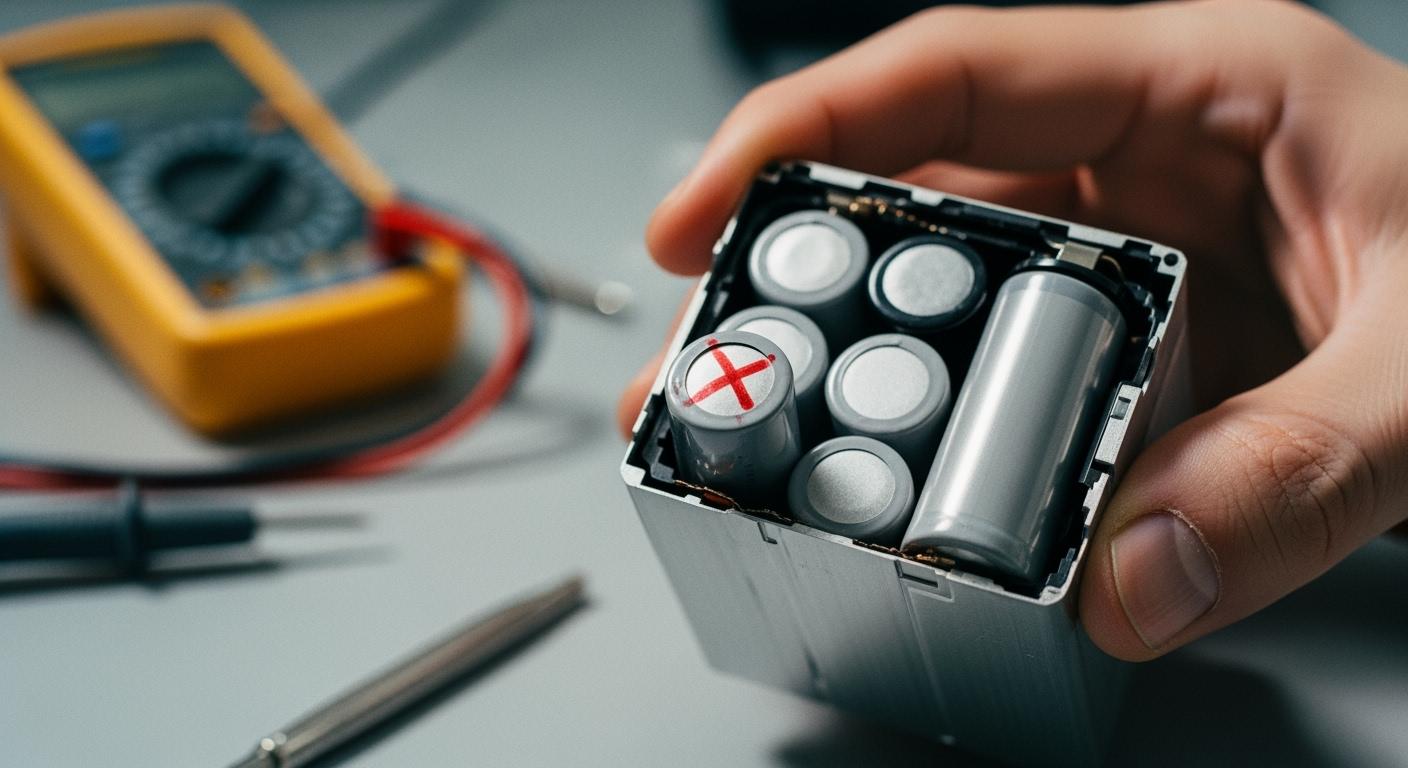
You should know the main warning signs when a battery cell is bad, especially to avoid issues related to bad battery cell management. Battery makers say these signs can include less power, fast draining, getting too hot, swelling, working strangely, hard to charge, sudden drops in voltage, losing charge faster, shorter battery life, and not working well. Recognizing these problems helps you stay safe. If you ignore these signs, your device might break or you could get hurt. Always check batteries safely. Understanding these signs aids in making batteries last longer and effectively managing bad battery cells the right way.
Key Takeaways
- Look for signs of bad battery cells like swelling, getting too hot, or losing power quickly. Finding problems early stops damage and keeps you safe.
- Always check batteries with your eyes before using or charging them. Watch for cracks, leaks, or strange smells to stay safe.
- Use the right charger for your battery every time. This stops overcharging and keeps your battery working well for longer.
- Recycle old or broken batteries the right way. Take them to local recycling centers or special programs so bad stuff does not go into landfills.
- Check how your battery works often. Look at voltage and charge levels to find problems early and help your devices work well.
Identifying Bad Battery Cell Symptoms
Warning Signs
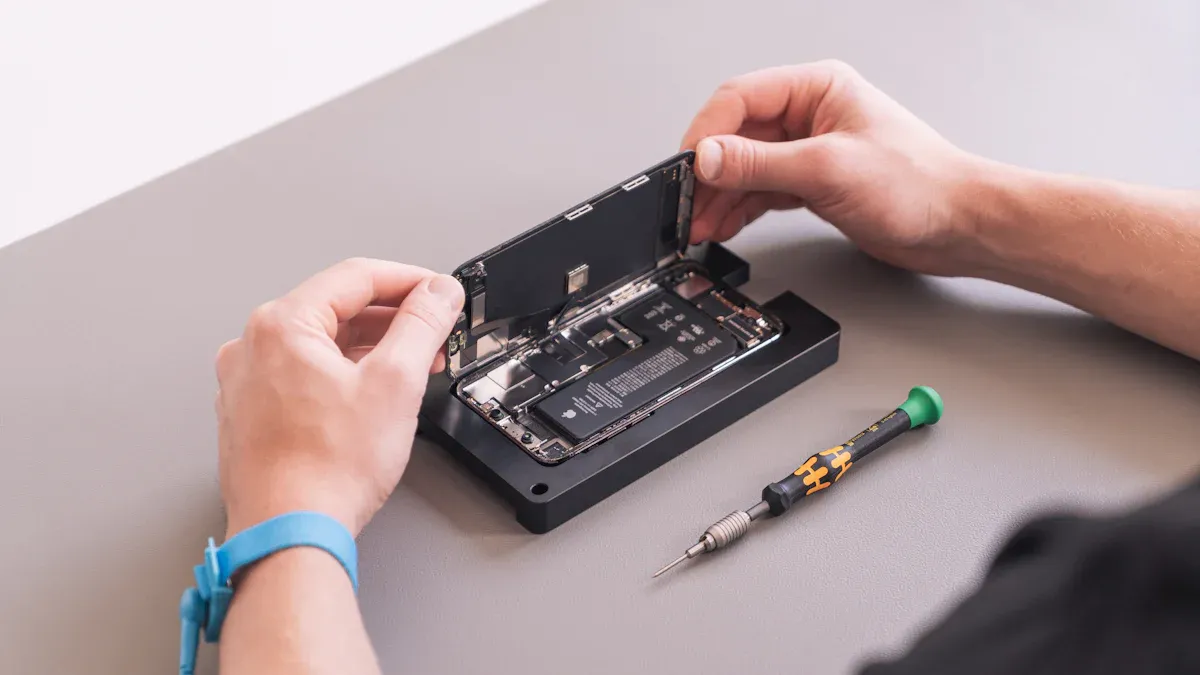
It is important to know the signs of a bad battery cell. This helps keep your devices safe and working well. If you notice problems early, you can stop bigger issues. Dead lithium batteries can cause damage if not managed. Watch for these warning signs and symptoms:
| Symptom | Description |
|---|---|
| Charging Speed | Bad battery cells charge slower than normal. This means something inside is not working right. |
| Battery Life | If your device loses power faster, it may have a bad battery cell. |
| Temperature | Overheating is a serious sign. A battery that gets too hot can be dangerous. |
| Swelling | Swelling shows the battery is dying. If you see bulging, stop using it right away. |
| Sudden Power Loss | Devices can shut down without warning, even with charge left. |
| Hard to Charge | If your battery is hard to charge or does not hold charge, it may be bad. |
| Swelling | Swelling can push against the device case. This makes it hard to close. |
| Swelling | Swelling may come with a strange smell or leaks you can see. |
Tip: Always look for swelling before using or charging your battery. Swelling can cause leaks or fires.
You should also check for other signs. Listen for strange noises or smell odd odors. If the battery feels very warm, it could be bad. These signs can mean the battery is dead or about to fail. If you see any of these, stop using the battery. Follow troubleshooting steps to stay safe.
Performance Issues
A bad battery cell can cause many problems. Your device may not last as long as before. Sometimes, the battery drains fast or shuts off suddenly. These are signs of a dead battery or a cell that does not work.
- High-quality batteries use better materials and technology. They store more energy and last longer.
- Low-quality or dead lithium batteries use poor materials. They lose charge faster and do not last as long.
- Devices with bad battery cells take longer to charge. They may not reach full charge.
Lithium-ion batteries need special materials inside. Good materials help the battery work well and last longer. A bad battery cell cannot store much energy. This means you need to charge more often and use the device for less time. You may notice the device gets hot or acts weird. These are signs of a dying battery.
Note: If your battery performance drops suddenly, check for other warning signs. This helps you find a dead battery before it causes trouble.
Bad battery cells can make your device unsafe. Overheating, swelling, and leaks can hurt your device or even cause injury. Always watch for changes in battery performance. Act fast if you see any problems.
To keep your devices working well, learn to spot these signs early. This helps you avoid dead lithium batteries and keeps your devices safe. If you notice any problems, think about replacing the battery or getting help from a professional.
Causes of Bad Battery Cell Failure
Overcharge and Discharge
Charging a battery too long can hurt its inside parts. If you leave it plugged in after it is full, it gets hot. This heat puts stress on the cells. Letting the battery run out all the way is also bad. Both overcharging and deep discharge make the battery not last as long. Always use a charger that fits your battery’s needs. This helps stop these problems from happening.
Tip: Take your device off the charger when it is full. Doing this keeps your battery from getting stressed.
Physical Damage
Physical damage is one big reason battery cells fail. Dropping your device or hitting it can break the battery case. Cracks or dents let air and water get inside. This can cause bad reactions. Even small drops can hurt the battery inside. If you see damage, stop using the battery right away.
Aging and Defects
Batteries get old as time goes by. When a battery gets older, it cannot hold as much charge. You might need to charge your device more often. Sometimes, batteries stop working early because of factory mistakes. Problems in how the battery is made can cause it to fail soon. Research in the Journal of Power Sources says low-quality batteries with these problems can get too hot or stop working fast. Always pick batteries from brands you trust to lower the chance of early failure.
Internal Shorts
Internal shorts happen when parts inside the battery touch each other. This can be from damage, mistakes, or even dust inside. An internal short can make the battery hot very fast or even start a fire. If your battery gets hot for no reason, stop using it and get help from an expert.
Note: Never try to open a battery by yourself. Internal shorts are risky and need a professional to fix.
Testing for Bad Battery Cell Safety
When you want to test dead battery cells, you must always put safety first. Lithium-ion batteries can be dangerous if you do not handle them with care. You need to follow safety precautions before, during, and after testing. This section will guide you through the main ways to test your battery and help you decide when to get professional help.
Visual Checks
Start with a visual inspection. This is the safest way to spot problems before you use any tools. Look for signs that show the battery is not safe to use.
Steps for Visual Checks:
- Place the battery on a flat, non-flammable surface.
- Check for swelling, bulges, or cracks in the battery case.
- Look for leaks, stains, or any liquid around the battery.
- Smell the battery for any odd or chemical odors.
- Inspect the terminals for corrosion or burn marks.
Tip: If you see swelling, cracks, or leaks, do not try to test dead battery cells further. Move the battery to a fireproof container and keep it away from flammable items.
You should always wear gloves and safety glasses during this step. Never touch leaking material with bare hands. Keep batteries cool and dry while you inspect them.
Voltage Testing
Voltage testing helps you check if the battery cell holds a charge. You need a digital multimeter for this step. This test can show if the battery is dead or weak.
How to Test Voltage:
- Set your multimeter to DC voltage mode.
- Place the red probe on the positive terminal and the black probe on the negative terminal.
- Read the voltage on the display.
- Compare the reading to the battery’s rated voltage (usually printed on the label).
If the voltage is much lower than the rated value, the battery may be dead or unsafe to use. For most lithium-ion cells, a voltage below 2.5V means the cell is likely damaged.
Safety Alert: Never try to charge a battery with very low voltage. Charging a deeply discharged cell can cause overheating or fire.
Always use the charger recommended by the manufacturer. Do not leave batteries charging overnight. Monitor the battery during charging and stop if you notice any heat or swelling.
Load Testing
Load testing checks how the battery performs under normal use. This test helps you see if the battery can deliver power safely.
Steps for Load Testing:
- Connect the battery to a device or a battery tester that draws a safe, steady current.
- Watch the voltage as the battery powers the device.
- If the voltage drops quickly or the battery gets hot, stop the test.
- Note how long the battery lasts under load.
A healthy battery should keep a steady voltage and not overheat. If the battery fails this test, it is not safe to use.
Note: Only perform load testing if the battery passed the visual and voltage checks. Never test dead battery cells that show signs of damage.
Keep batteries in a cool, dry place during testing. Store them in a fireproof box when not in use. Avoid testing near flammable materials.
Professional Help
Some battery problems need expert attention. If you see swelling, leaks, or if the battery gets hot for no reason, you should not try to fix it yourself. Professionals have the right tools and training to handle dangerous batteries.
When to Seek Professional Help:
- The battery shows physical damage or swelling.
- The battery smells odd or leaks fluid.
- The battery gets hot during normal use or charging.
- You are unsure about the test results.
Tip: Take damaged batteries to a recycling center or a professional repair shop. Do not throw them in the trash.
You should always follow safety guidelines when you test dead battery cells. Avoid overcharging and deep discharging. Prevent physical damage by handling batteries with care. Store batteries in a fireproof box and keep them away from heat. Dispose of batteries at a recycling facility to protect the environment.
Testing your battery with these steps helps you find problems early. You keep yourself and your devices safe. If you ever feel unsure, ask a professional for help.
Disposal and Recycling for Safety
Recycling Centers
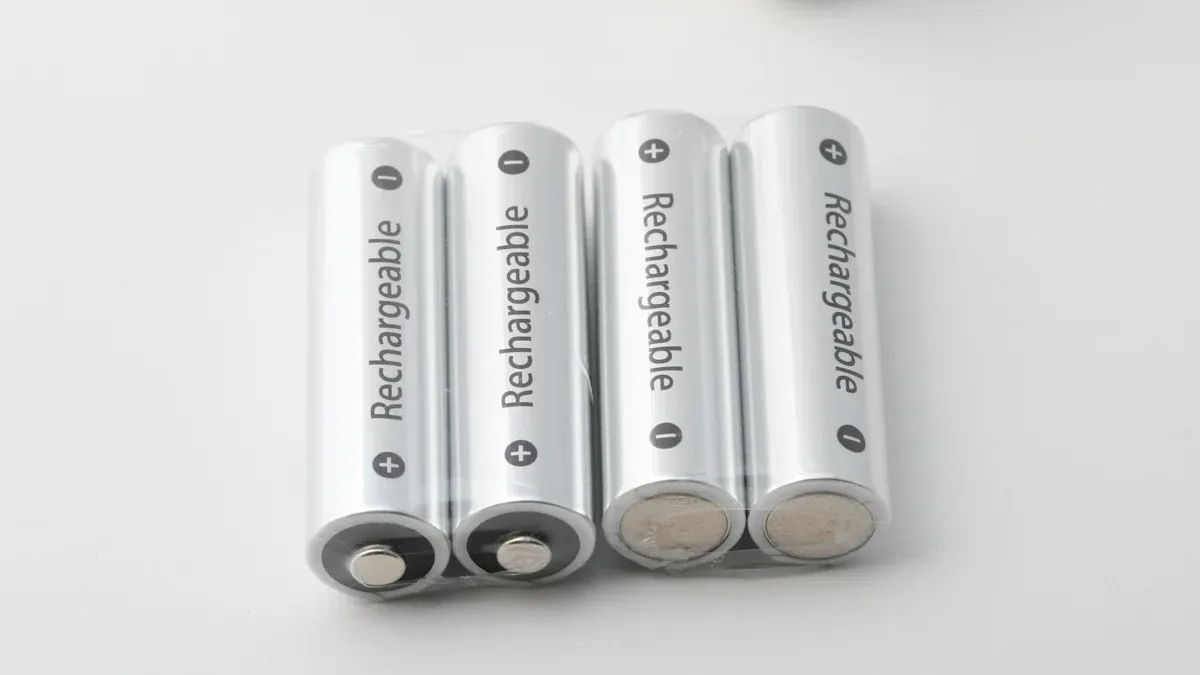
You must be careful when throwing away batteries. Recycling centers take lithium-ion batteries and follow safety rules. You can look online or ask your city’s waste office to find a center. These places use special ways to get metals back and stop pollution. Dropping off your battery helps keep bad stuff out of landfills.
Tip: Put tape on the terminals before you go. This helps stop short circuits.
Takeback Programs
Many places have takeback programs for battery disposal and recycling. These programs help you return old batteries safely. You can drop them off at stores or events. Some programs give you rewards for recycling.
| Region | Program Description | Link |
|---|---|---|
| United States | Free Tech Take Back with Staples: Drop off end-of-life devices at Staples for a voucher. | Learn More |
| Belgium | Information available for battery recycling. | Batteries |
| Finland | Resources for battery and electronics recycling. | Batteries | Electronics |
| France | Information on electronics and batteries recycling. | Electronics & Batteries |
| Germany | Resources for electronics and batteries recycling. | Electronics & Batteries |
| Greece | Options for recycling electronics, batteries, and packaging. | Electronics | Batteries |
| Ireland | Information on recycling electronics, batteries, and packaging. | Electronics, Batteries, Packaging |
| Italy | Resources for battery and electronics recycling. | Batteries | Electronics |
| Netherlands | Options for recycling electronics and batteries. | Electronics & Batteries |
| Norway | Resources for recycling electronics and batteries. | Electronics & Batteries |
| Spain | Information on recycling electronics, batteries, and packaging. | Electronics, Batteries, Packaging |
| Sweden | Options for recycling electronics, batteries, and packaging. | Electronics, Batteries, Packaging |
| Switzerland | Resources for battery and electronics recycling. | Batteries | Electronics |
| United Kingdom | Information on recycling electronics, batteries, and packaging. | Electronics, Batteries, Packaging |
Safe Storage
Before you throw away batteries, store them safely. Keep batteries in a cool, dry place away from things that burn. Use a fireproof box if you can. Tape the terminals so they do not discharge by accident. Never put broken batteries with regular trash.
Alert: Damaged batteries can leak or catch fire. Always keep them apart and wear gloves when you touch them.
Environmental Impact
Throwing batteries away the wrong way hurts the earth. It can pollute soil and water, make the air dirty, and harm people and animals. Recycling batteries lowers pollution, saves resources, and keeps people healthy.
| Environmental Benefit | Description |
|---|---|
| Reduces Pollution | Recycling stops water and air pollution from batteries in landfills. |
| Resource Recovery | You help save metals and materials, so less mining is needed. |
| Health Protection | Recycling keeps toxic metals away from the earth and people. |
You help with battery disposal and recycling. By picking safe ways to throw away batteries, you protect your town and the planet. Always check your local rules and use approved recycling programs.
Bad Battery Cell Management: Repair or Replace
Assessing Damage
Start by checking the battery for damage. Look for swelling, leaks, or if it feels hot. If you see these, do not try to fix the battery. Small problems like slow charging or short battery life might be fixed. But only if there is no swelling or leaks. Always handle dead lithium battery cells with care. If you smell something strange or the battery is hot, it is safer to replace it.
Tip: Wear gloves and safety glasses when checking batteries. Safety is most important.
Cost and Warranty
Check the cost and warranty before you fix or replace the battery. Many makers give a warranty for up to seven years or six months after making the battery. Buy from trusted sellers and follow the rules to keep your warranty. If your battery holds less than 70% charge during the warranty, you might get a free replacement.
| Warranty Aspect | Details |
|---|---|
| Duration | 7 years from installation date or 6 months after manufacturing date. |
| Minimum Capacity | Guaranteed to retain at least 70% of nominal capacity during the warranty period. |
| Key Conditions | Must be purchased from authorized resellers, installed indoors, and maintained per instructions. |
| Claim Process | Notify within 48 hours, provide warranty certificate, purchase invoice, and system log data. |
Replacing a battery often costs less than fixing it, especially if the warranty covers it. Always check your warranty before dealing with dead lithium battery cells.
Safety Considerations
Always think about safety when managing bad battery cells. Trying to fix damaged batteries can hurt your skin, cause burns, fire, or even an explosion. Never open or change batteries or use ones that are broken. Keep batteries away from heat and fire. Watch the battery’s temperature when you use or charge it.
| Safety Instruction | Risk Description |
|---|---|
| Comply with safety instructions | Failure to comply can lead to skin irritation, severe corrosive injury, chemical burns, fire and/or explosion. |
| Treat batteries with care | Avoid damage and prevent leakage of harmful fluids. |
| Do not modify or tamper with batteries | Tampering can lead to dangerous situations. |
| Never use or charge damaged batteries | Damaged batteries pose a risk of fire and explosion. |
| Avoid exposure to heat or flames | This can lead to explosions. |
| Monitor battery temperature | A hot battery may indicate a defect, requiring immediate attention. |
⚠️ Alert: If you are not sure about battery safety, replace the battery instead of fixing it.
Professional Advice
Ask an expert for help if you cannot check the damage or if the battery looks bad. Professionals can test, fix, or tell you to replace the battery. They use special tools and follow safety rules. If you need to handle dead lithium battery cells, experts help you stay safe and protect your devices.
Note: Getting help from a professional keeps you safe and helps your battery last longer. Always ask an expert if you have big battery problems.
Battery Maintenance Tips for Longevity
Taking care of your battery helps it last longer. These battery maintenance tips help your device work better and last longer. Good care also keeps you safe and stops sudden problems.
Regular Charging
Charge your battery often, but do not let it go below 10%. Try not to leave it at 100% for a long time. This helps stop stress on the cells and makes the battery last longer. Unplug your device when it is fully charged. Do not let the battery run out all the way. Deep discharges can make the battery die sooner. Charging often keeps your battery ready and lowers the chance of cell failure.
Temperature Control
Keep your battery in a cool, dry place. High heat can hurt the inside parts and make the battery stop working. Too much heat can mess up the separators and make resistance go up. This can make hot spots inside the battery. These problems can make cells fail and start a chain reaction. Keep your battery away from sunlight and heaters. Controlling temperature helps your battery last longer and keeps you safe.
Compatible Chargers
Always use chargers that fit your battery’s needs. The right charger helps your battery charge well and stops overcharging or undercharging. Using the wrong charger can hurt the battery and make it not last as long. Buy good charging tools to help your battery stay healthy.
Connection Cleaning
Look at the battery terminals for dirt or rust. Clean them with a soft brush and a mix of baking soda and water. Make sure the terminals are dry before you connect them again. Tighten loose connections, but do not make them too tight. Clean terminals help stop power problems and make the battery last longer. Cleaning is an easy way to take care of your battery.
Monitoring and Replacement
Check your battery’s voltage and charge with a multimeter or battery monitor. Watch for swelling, cracks, or leaks. Check your inverter and charge controller settings to make sure they are right for your battery. Finding problems early helps you change the battery before it stops working. Checking your battery often is an important part of battery care.
If you follow these battery maintenance tips, you will be safer, your battery will work better, and it will last longer.
You can make your battery last longer by doing easy things. Always look at your battery for damage. Keep it in a cool spot. Check your battery often and be gentle when you use it.
- Keep your battery charged between 40% and 60% to help it last.
- Use smart battery management systems to stay safer.
- Try using passive fire protection like PyroBubbles® for more safety.
- Learn about battery safety and teach others how to throw batteries away the right way.
Doing these things helps you stay safe and keeps your battery working well.
FAQ
What should you do if your lithium-ion battery swells?
Stop using the battery right away. Put it in a fireproof box. Do not charge or try to fix it. Take it to a recycling place or ask an expert to throw it away safely.
How often should you check your battery for damage?
Check your battery once a month. Look for bulges, leaks, or strange smells. Checking often helps you find problems early and keeps your devices safe.
Can you repair a bad battery cell at home?
Do not try to fix a bad battery cell at home. Lithium-ion batteries can be risky. Ask a professional for help or replace the battery the right way.
Why does your battery drain faster as it ages?
Battery cells get weaker as they get older. The chemical parts inside slow down. You will see your battery runs out faster. Change old batteries to keep your device working well.
Where can you recycle lithium-ion batteries safely?
| Location Type | How to Recycle |
|---|---|
| Recycling Center | Drop off at local site |
| Retail Store | Use takeback programs |
| Community Event | Attend collection days |
Look on your city’s website to find safe recycling places.
-

 May.2026.09.10What Happens When Battery Charging and Discharging Ports Are Swapped?Learn More
 -
 May.2026.09.10Will the Production Battery Be the Same as the Approved Sample?Learn More
 -
 May.2026.09.08Why Doesn't a 2A LiPo Battery Pulse Trip PCM Over-Current Protection?Learn More
 -
 May.2026.09.08How Long Do Custom Batteries Stay in Production?Learn More
 -
 May.2026.09.07Comprehensive Understanding of 7.4V BatteryLearn More